
LlamaMan 0.9.6 - What's New
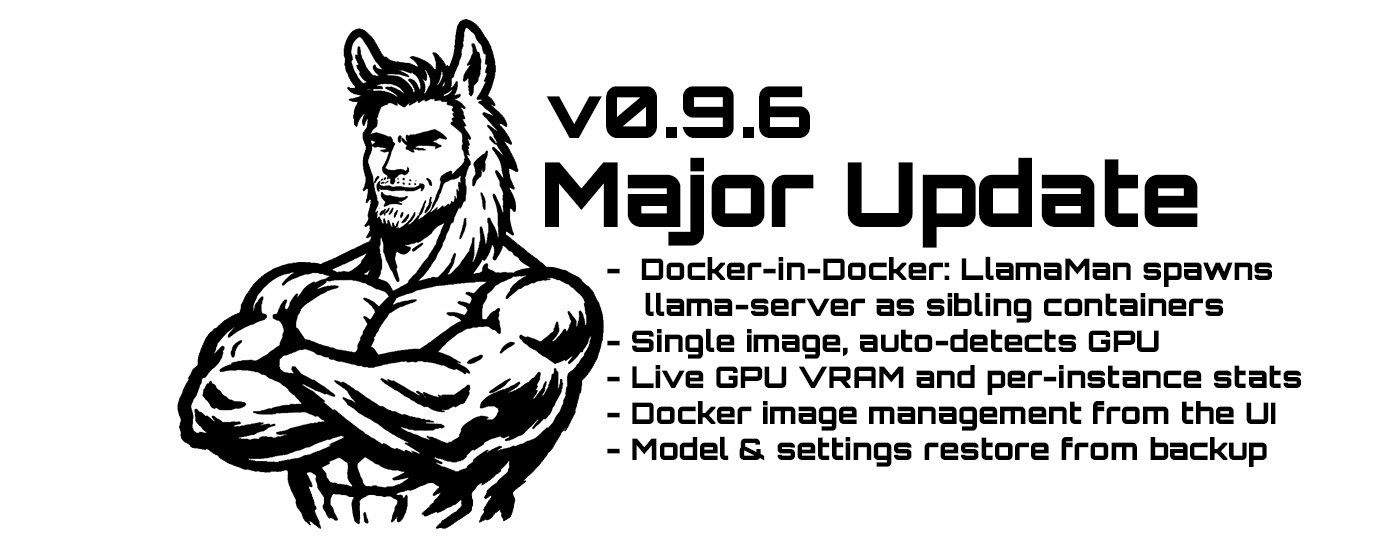
LlamaMan is a self-hosted web UI for managing llama.cpp server instances. Point it at a directory of GGUF files, launch models with full control over GPU offload and context size, and get an Ollama-compatible API on port 42069 (nice). Think Ollama but without the mystery decisions about your own hardware.
I've always wanted to do a proper Docker-in-Docker implementation - just for the experience of it. It's one of those patterns that sounds wild the first time you hear it and I was genuinely curious about it, but it was never the right call. Too much overhead for too little gain, or the problem it solved wasn't actually a problem worth solving that way.
Until now.
The original LlamaMan bundled llama.cpp directly inside its own container. Which sounds fine until you think about what that actually means in practice:
- llama.cpp releases updates constantly. New architectures, new quantization types, new flags. Every update meant rebuilding the LlamaMan image - even if nothing in LlamaMan itself changed.
- CUDA and ROCm are completely separate runtimes. Two Dockerfiles, two build pipelines, two images to maintain. Users had to know which one they needed before they even started. Intel Arc? There wasn't even an image for that.
- The images were fat. CUDA alone adds several gigabytes. You're shipping all that GPU runtime inside a container whose actual job is running a Python web app.
- If llama.cpp pushed a bad release, you were stuck until LlamaMan cut a new build. You had no way to pin or roll back independently.
The DinD approach solves all of this cleanly. LlamaMan stops trying to be a GPU runtime and goes back to being what it actually is - a manager. When you launch a model, LlamaMan calls the Docker socket and spawns a ghcr.io/ggml-org/llama.cpp:server-* container as a sibling on the host (or whatever other image you've built for llama.cpp - maybe even a Turboquant). The official llama.cpp image handles everything GPU-related. LlamaMan just tells it what to do.
The benefits:
- Hardware agnostic - one LlamaMan image works on NVIDIA, AMD, and Intel Arc. The vendor-specific runtime lives in the llama-server container, not here.
- Independent update cycles - pull a new llama.cpp image any time without touching LlamaMan. Pin to a specific version if you want stability. Roll back if something breaks.
- Lightweight image - LlamaMan is now a plain Python container. No CUDA, no ROCm, no bundled native libraries. The image is a fraction of what it was.
- Per-model flexibility - in theory, nothing stops you from running different llama.cpp builds per instance. CUDA on one, CPU-only on another, experimental build on a third.
- Mixed hardware (theoretical) - since each container gets its own GPU passthrough config at spawn time, you could in principle run instances across different GPU vendors on the same host. I haven't tested this properly, but the architecture doesn't prevent it.
There's one new env var to be aware of as a result of this change: HOST_MODELS_DIR and HOST_LOGS_DIR. Since sibling containers are created by the Docker daemon on the host, they need the actual host-side paths for the volume mounts - the container-internal /models path doesn't work here. Set these to match your volume mount sources.
Single Image, Auto-Detection for All GPU Vendors
The separate Dockerfile.cuda and Dockerfile.rocm are gone. There's one Dockerfile, one image tag, and it handles NVIDIA, AMD (ROCm), Intel Arc, and CPU-only.
At startup, LlamaMan probes the host: pynvml for NVIDIA, /sys/class/drm sysfs for AMD and Intel Arc. The detected vendor is logged and used to pick the right device passthrough when spawning containers. If you want to override it, set GPU_TYPE=cuda, rocm, or intel.
LLAMA_IMAGE also auto-defaults from the detected vendor if you don't set it. So for most people, the only env var you need to set is the two host path ones.
Intel Arc is now properly supported with /dev/dri device mounts and video/render group passthrough. Per-instance GPU device selection isn't supported on Arc since there's no equivalent of CUDA_VISIBLE_DEVICES for SYCL.
Native GPU Monitoring
GPU VRAM and utilization are queried inside the llamaman container directly based on detected devices.
- NVIDIA: uses
pynvml. Requires uncommenting thedeploy.resources.reservationsblock indocker-compose.ymlto grant the container NVIDIA toolkitutilitycapability. No compute access, just monitoring. - AMD / Intel Arc: reads
mem_info_vram_used,mem_info_vram_total, andgpu_busy_percentfrom/sys/class/drmsysfs. The:romount is included in the compose file by default.
Falls back to the previous exec-based approach (running nvidia-smi/rocm-smi inside a container) when native access isn't configured and a container happens to be running.
Per-Instance Resource Stats
Each running instance card now shows live stats: CPU%, core quota, RAM used/limit, and which GPU(s) are assigned to it. Updates every 3 seconds.
The CPU quota comes from the configured threads value - that's what gets passed as the Docker nano_cpus limit when the container is spawned. The GPU assignment is resolved from the instance config against the detected GPU list, so it doesn't require any container inspection.
CPU Quota and Memory Limit
Setting CPU Threads now does two things: passes --threads N to llama-server and applies a Docker CPU quota to the container. Previously it only set the llama-server flag and the container could still consume all available cores.
There's also a new Memory Limit field in the launch form (32g, 8192m, etc.). Sets a hard cap on the spawned container.
Both save in presets.
Docker Image Management
The Docker Images settings tab now lets you pull any image by name directly - type it in, hit pull, done. No need to shell into the host.
Each image in the list has a delete button that removes it from Docker and from the tracked list. Disabled for whichever image is currently set as LLAMA_IMAGE. Returns an error if Docker refuses because a container is using it.
Model Backup and Restore
The Download Stored Models JSON button (which already existed for exporting model metadata) now has a matching Restore from JSON button.
Upload a previously exported backup and LlamaMan processes each entry:
- Model already on disk: preset is merged in, existing values aren't overwritten
- Model missing but has a HuggingFace source: download is queued immediately, preset is pre-populated at the expected post-download path so it's ready when the file lands
- Model missing with no known source: flagged as unrestorable
Results show inline with per-model status badges. Useful for migrating between hosts or restoring after a wipe.
Repeat Penalty in Proxy Sampling Overrides
New Repeat Penalty field in the per-instance proxy sampling overrides section. Default is 0 which means disabled - it's not injected into requests at all. Set it above 0 to enforce it.
No breaking changes to the API. The main thing to handle on upgrade is the two new host path env vars if you're running with Docker - set HOST_MODELS_DIR and HOST_LOGS_DIR to the absolute host paths of your models and logs volumes.
- GitHub: github.com/nullata/llamaman
- Docker Hub: hub.docker.com/r/nullata/llamaman
Live long and prosper. 🖖👽
Join the conversation
Like & Comment on